
A real document remediated without human input
Below is an actual PDF that moved through the platform: the 2025 IRS Form 1040 — the U.S. Individual Income Tax Return millions of people fill out every year, and a textbook example of a complex government PDF: multi-column layout, dozens of form fields, checkboxes, dependent and income tables, and dense regulatory content all in one document.
The pass result refers to the automated checks represented in the sample report. Judgment-based items such as meaning, reading experience, and procurement criteria are handled through review when the workflow flags uncertainty.
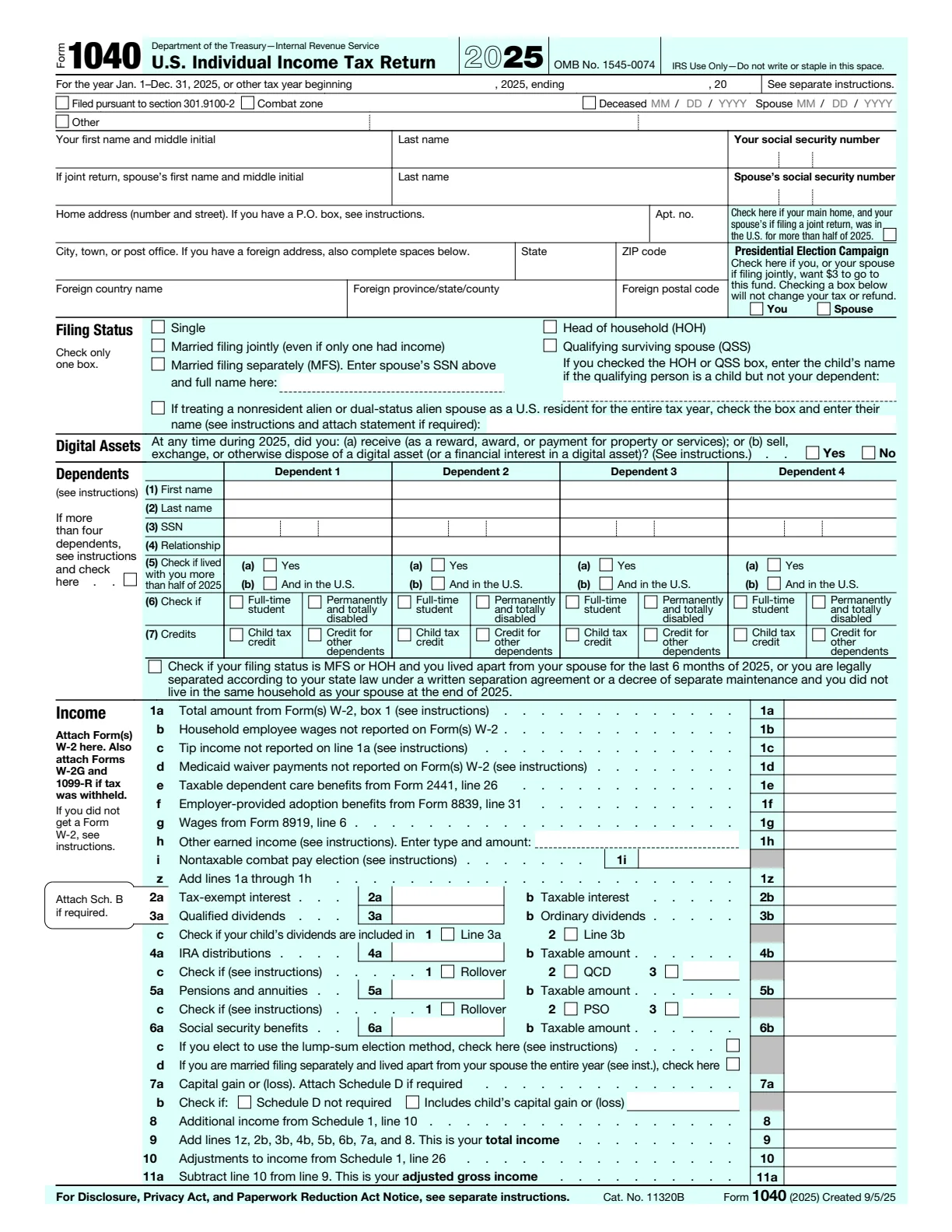
As published by the IRS — image-rich form with no underlying structural tags. Screen readers can't navigate it; it reads as “image, image, image.”
Download source PDF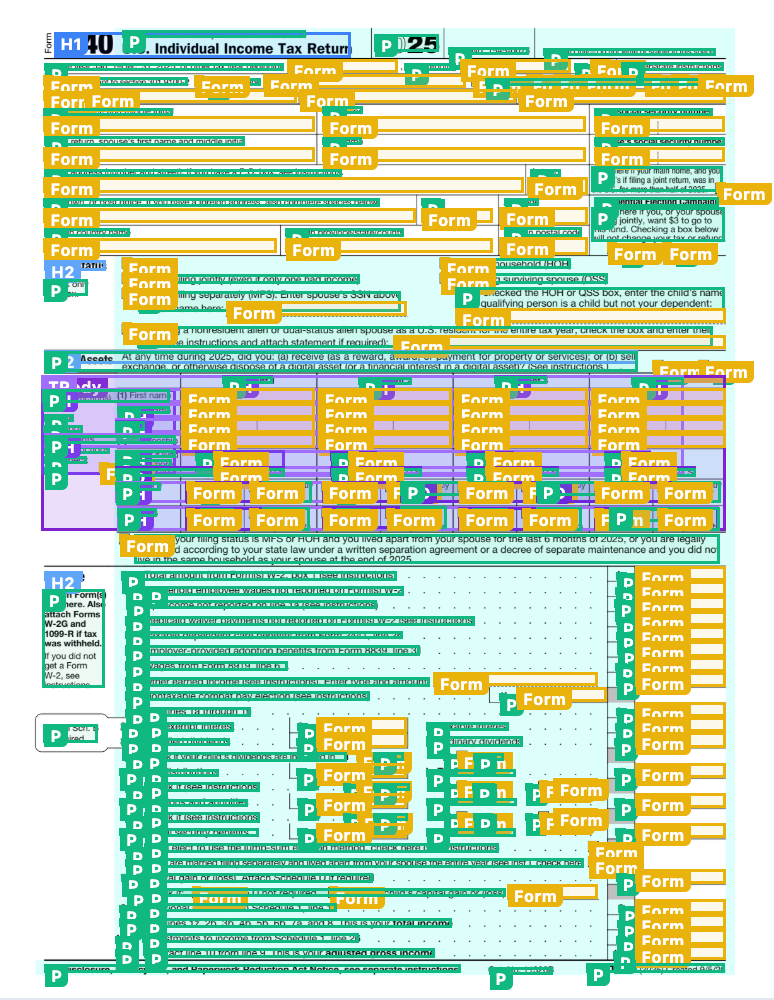
After ADAComply: every element is tagged. H1/H2 headings, P paragraphs, Form fields, TR/TH/TD table cells — all present in the structure tree that screen readers actually use.
Download remediated PDF
What the 1040 form shows
The live sample above is included so the source and remediated files can be inspected directly, with the actual output shown alongside the original.
- Form fields: visible labels need to become programmatic labels that assistive technology can announce.
- Tables: tax forms include row and column relationships that need proper table structure, not just visual alignment.
- Reading order: dense government forms need a logical sequence even when the visual layout is split across sections.
- Validation evidence: the output needs a repeatable report, not just a claim that the document was fixed.
How we approach a hard document
This is the workflow used for the sample shown above:
- Run at least 3,000 checks on every PDF. Complex documents can require significantly more. Counts include checks applied across the document and its content; they are not a count of separate accessibility standards.
- Auto-fix what we can. Tagging, reading order, alt-text suggestions, OCR for scans, table structure, language metadata, font/Unicode mapping.
- Hand off the rest to specialists. Pages where automation flags uncertain output go to in-house specialists, included in the approved credit estimate. Most often it's nuanced alt text or a table where automation can't infer the intended structure.
- Per-document report on every output. Every PDF stores a dashboard report listing what passed, what was fixed, and which standards the output was checked against.
Talk to our team about your PDF project.
Call or email us to discuss your documents, timeline, and accessibility (A11Y) needs.