
Audit your sources
Crawl a website to gather PDFs and automatically group likely remediation needs. Use the source URLs and file details to review the suggestions.
Use the VORA Dashboard to find, categorize, remediate and track all your PDFs.
Follow the workflow from an organized inventory to a PDF ready for review.
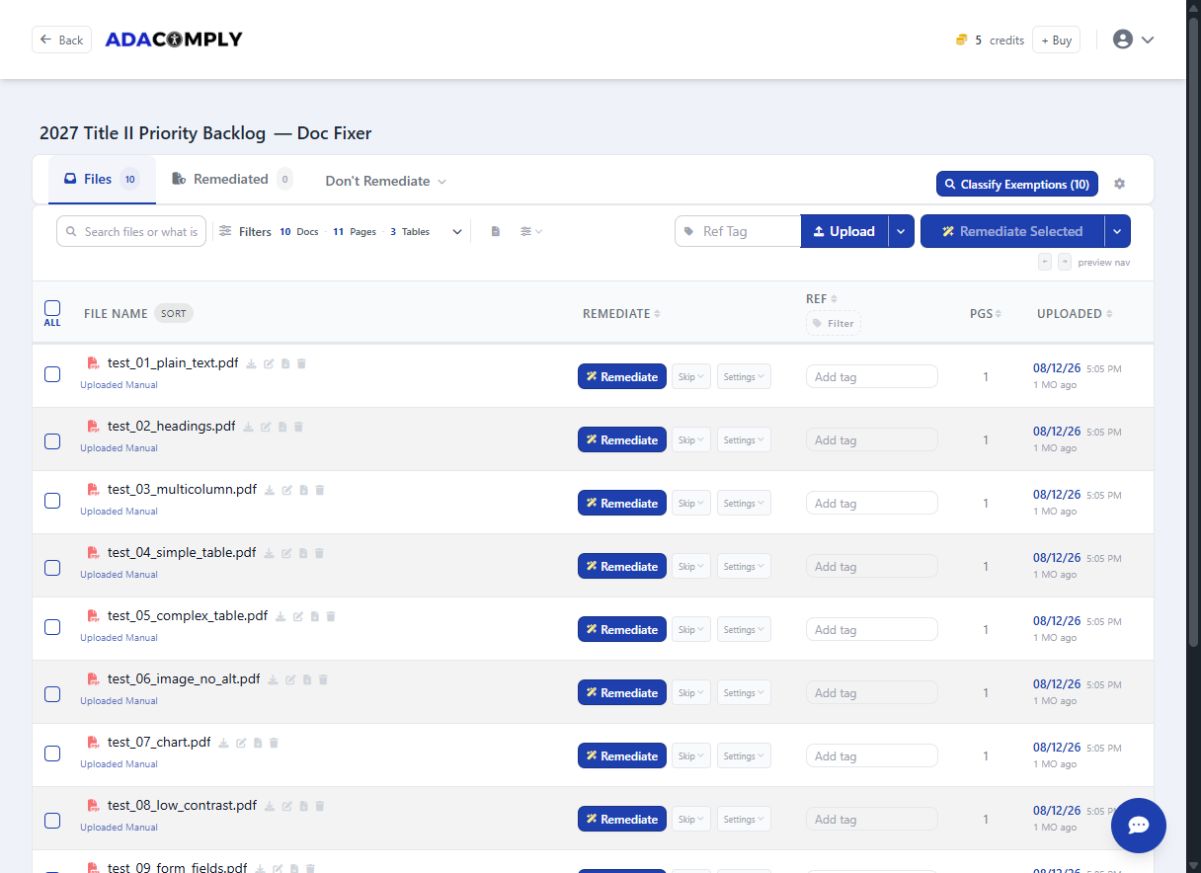
Crawl a website to gather PDFs and automatically group likely remediation needs. Use the source URLs and file details to review the suggestions.
Open the edit icon for free manual remediation, or select Remediate to review the credits for automation.
Keep the completed PDF alongside its report and tag structure. Download the version your team approves for publication.
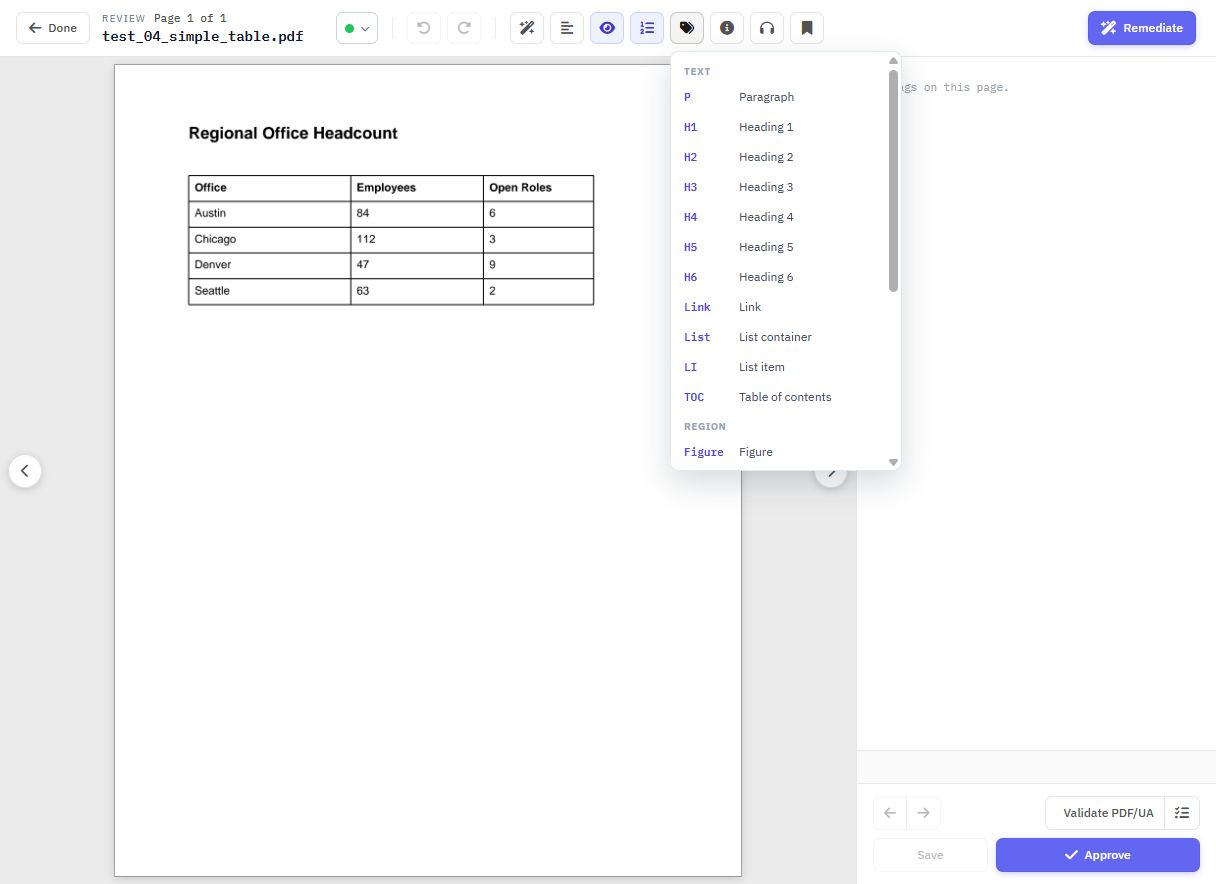
Use the free editor when you want direct control over tags, reading order, text alternatives, and tables. Choose automated remediation when you want the system to process a file or batch. See the editor’s tools →
Organize libraries separately and trace each PDF back to its source webpage.
Give colleagues access to the sites or projects they need. Review their remediation activity and credit use.
Store the output, veraPDF results, tag structure, and testing report with each remediated file.
The built-in helper can guide you through actions with step-by-step prompts.
Dashboard access and the manual editor are free forever. Pay only for automated remediation you select: $4 per credit, one per page plus one per table.
Get the VORA Dashboard freeTell us about your documents and we’ll walk through the relevant features with you.
Request a product demonstration Call 810-705-1794