
1. Add your website
Create a VORA Dashboard account and enter the public website you want to inventory.
Crawl your website in the VORA Dashboard. PDFs are gathered and automatically grouped by likely remediation needs, ready for your review.
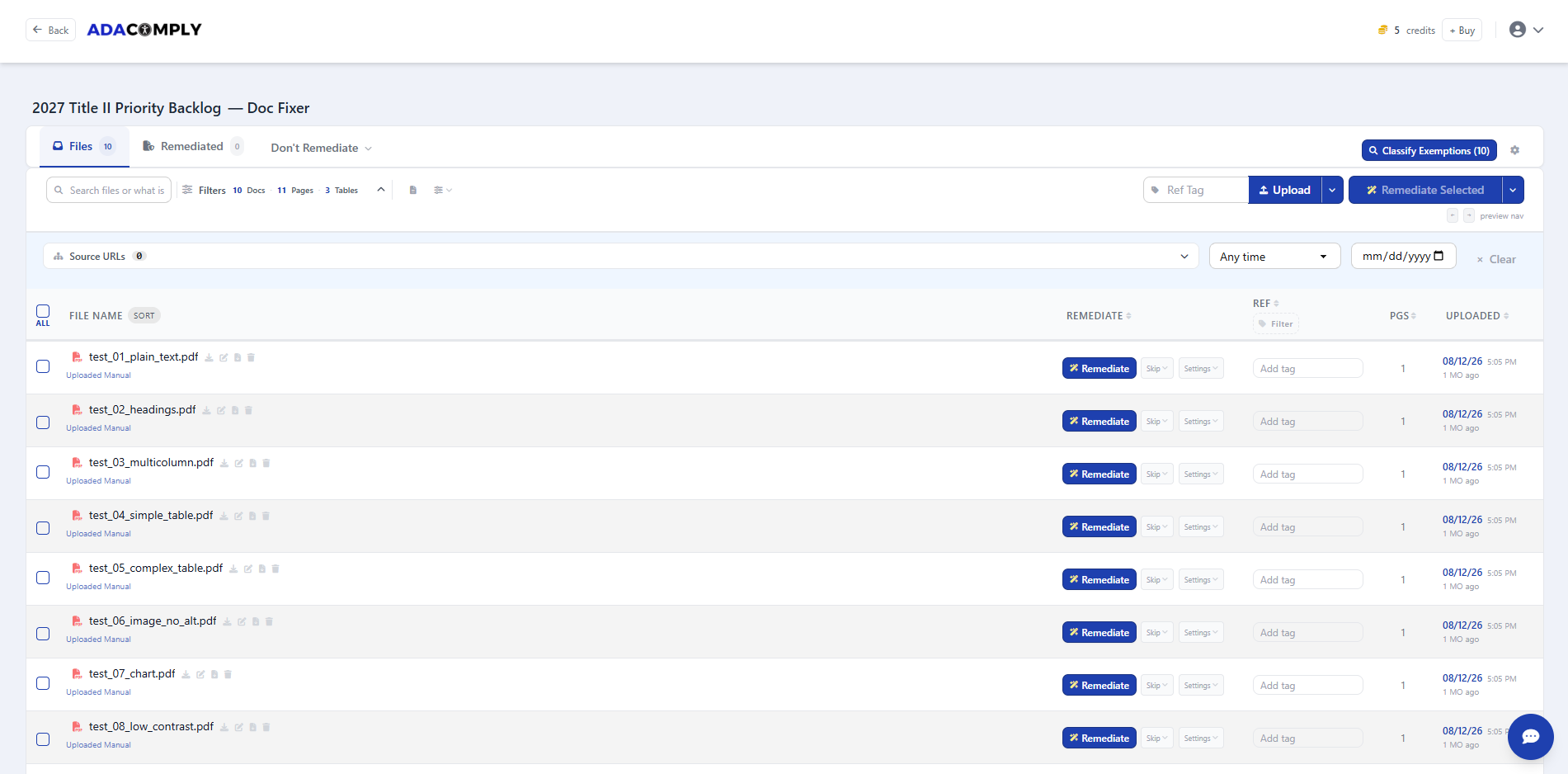
Create a VORA Dashboard account and enter the public website you want to inventory.
As the crawl collects PDFs, the audit groups likely remediation candidates and files that may not need work. Review the results with source URLs and document details.
Confirm priorities and any proposed exceptions. Remediate manually in the free editor or approve credits for automated remediation.
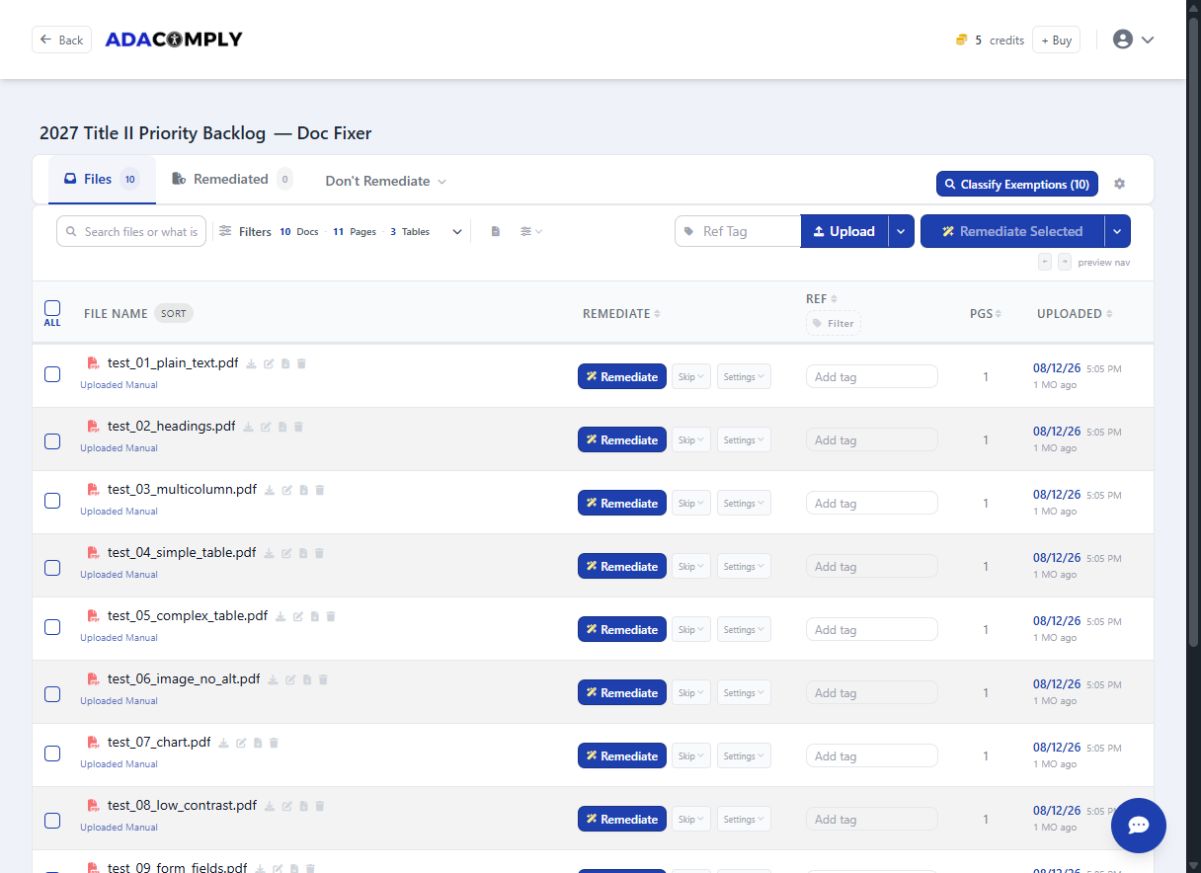
Use the categories as a starting point. A likely no-remediation result is a recommendation to review, not a legal exemption or a certification that the PDF is accessible.
PDFs gathered from your public site, with source webpages and document details.
Automatic grouping helps you focus on likely remediation needs and review files that may not need work.
Select one file or a batch, see the estimate, and keep the completed files and reports in the same workspace.
Start with active applications, forms, and documents people use to access services. Confirm the current version and owner before processing a large backlog. Review potential exceptions against the requirements that apply to your organization.
Detailed document validation and remediation reports support review of selected PDFs. Read about WCAG checks or inspect the IRS example.
Dashboard access is free forever. The crawl and automatic classification do not require remediation credits.
Get the VORA Dashboard freeRequest a guided demonstration for a larger rollout.