
The right PDF accessibility tool helps your team get from a document that needs work to a usable file, with a clear cost and a repeatable review process.
Start with the documents you actually publish: forms, meeting packets, course materials, or reports. Then compare how each option handles those files, how much staff time it requires, and what evidence you can keep after the work is complete. A short trial on representative documents tells you more than an automation percentage.
This guide is published by ADAComply, a PDF remediation provider. Product descriptions draw on the linked vendor documentation reviewed on October 4, 2026; the comparison is not an independent performance benchmark.

Start with the workflow you need
Three categories often appear in the same search results, but they deliver different things:
- Remediation tools let you create or repair a PDF’s accessibility structure, including tags, reading order, and table relationships.
- Validation tools identify potential problems and support review. They do not perform the document repairs for you.
- Document-to-HTML services provide another way to read the content. Check whether your project requires a remediated PDF, accessible HTML, or both.
If you need downloadable PDFs that people can save, email, and use outside your website, make the exported file part of your evaluation. If the content primarily belongs on the web, consider whether accessible HTML would serve readers better.
PDF accessibility tools worth comparing
Use this shortlist to choose what to test. The evaluation questions are practical selection criteria, not findings that a product has failed.
| Tool | Relevant capabilities | What to evaluate |
|---|---|---|
| ADAComply | Document inventory in the VORA Dashboard, a free manual editor, and automated remediation priced by page and table. | Try the editor and automation on the same kind of documents you publish. Review the estimate and exported PDF. |
| Adobe Acrobat Pro | Accessibility checks, tag editing, reading-order tools, and manual repair controls. | Measure the expertise and editing time your team needs, especially if you already license Acrobat. |
| Equidox | A remediation workflow using zones, detection tools, and previews to organize document content. | Test complex tables, nested lists, and reading order; confirm the appropriate license and support. |
| PREP | Automated tagging, collaboration, accessibility checking, and integration options. | Test representative files and confirm the features, integrations, and review support in your proposal. |
| PAC 2026 | A free PDF accessibility checker with technical checks and previews to support manual inspection. | Use it alongside a remediation tool and human review; it checks PDFs rather than fixing them. |
| DocAccess | Streamline’s document-to-HTML offering, with accessible transcripts, translation, and document navigation. | Check whether the reading experience and output format meet your delivery and regulatory requirements. |
For organizations balancing a backlog with new PDFs every week, a combined inventory, editing, and remediation workflow is worth testing. ADAComply puts those steps in one place, with the option to do manual work before purchasing automation.
Compare the cost of finished documents
Budget for software or service fees, staff time, training, review, and revisions. A subscription may work well for steady production; usage-based pricing can be easier to budget when volume varies. An existing license may already cover some of the tools your team needs.
ADAComply’s published automated-remediation price is $4 per credit: one credit per page, plus one additional credit per table. There is no subscription or minimum purchase for automated remediation, and the price is shown for approval before processing. The manual editor is free.
| PDF contents | Credits | Cost |
|---|---|---|
| 5 pages, no tables | 5 | $20 |
| 10 pages, 2 tables | 12 | $48 |
| 20 pages, 6 tables | 26 | $104 |
During the current launch offer, accounts receive the VORA Dashboard free forever with the activation fee waived. Confirm the current offer on the pricing page. Free manual remediation still requires your team’s time and accessibility judgment.
When comparing quotes, send each provider the same files and ask what the price includes: tables, scanned pages, forms, human review, corrections, and the final deliverables. Avoid assuming a flat per-page estimate captures every part of the job.

What automation can do—and what to review
Automation can accelerate structural work. Its value depends on how accurately it handles your documents and how easily you can inspect and correct the result. A claim about tagging speed or time saved does not tell you what proportion of a document can skip review.
PAC’s own guidance says its AI-assisted checks support human judgment. Reading-order correctness and the meaning of alternative text still need human attention. A green automated report is useful evidence, but it is not a complete assessment of the reading experience.
For any tool you evaluate, review whether:
- Headings and lists convey the document’s actual organization.
- Multi-column content reads in a meaningful sequence.
- Image descriptions communicate the information readers need.
- Table headers relate correctly to their data cells.
- Form fields have useful labels and a workable keyboard order.
Keep automated results and human-review findings distinct. That makes it easier to see what passed, what was checked manually, and what still needs attention.
A practical workflow with ADAComply
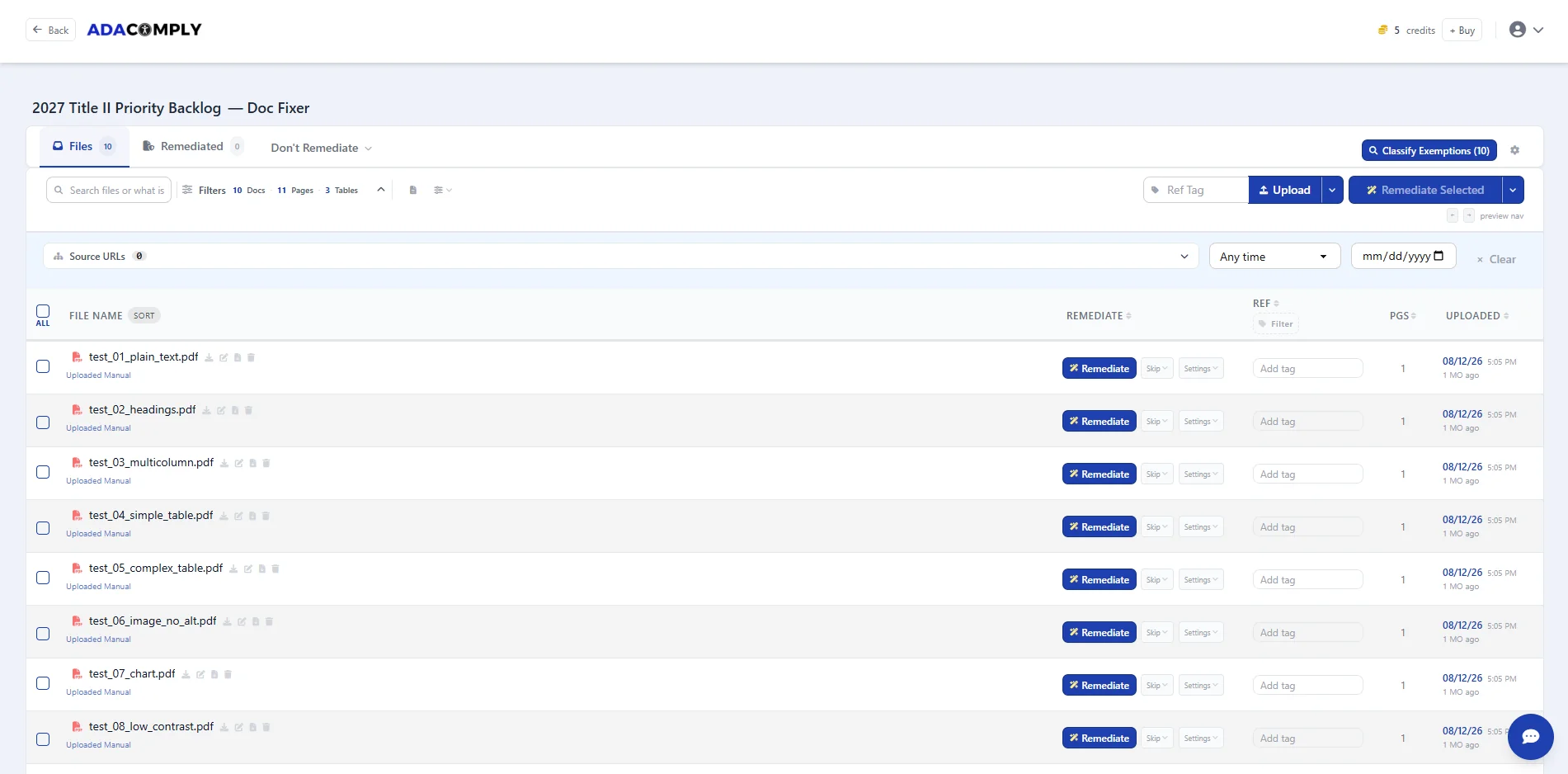
The benefit of a central workspace is continuity: the documents you identify are the documents you can organize and work on. Here is a practical way to evaluate the VORA Dashboard.
- Build a focused inventory. Use the website audit or upload a representative set of PDFs. Start with files people actively need for a service, class, application, or transaction.
- Choose the work to do first. Consider audience, deadlines, document use, and complexity. Include a simple document and a difficult one in your trial.
- Select a remediation path. Use the free editor for manual work, or review the credit estimate and use automated remediation where it fits.
- Review the exported result. Run validation and inspect meaning, structure, reading order, and interactive elements. Include assistive-technology testing appropriate to the document.
- Publish and retain the evidence. Replace the intended public file, check its download link, and keep the original, final output, reports, and review notes together in your organization’s records.
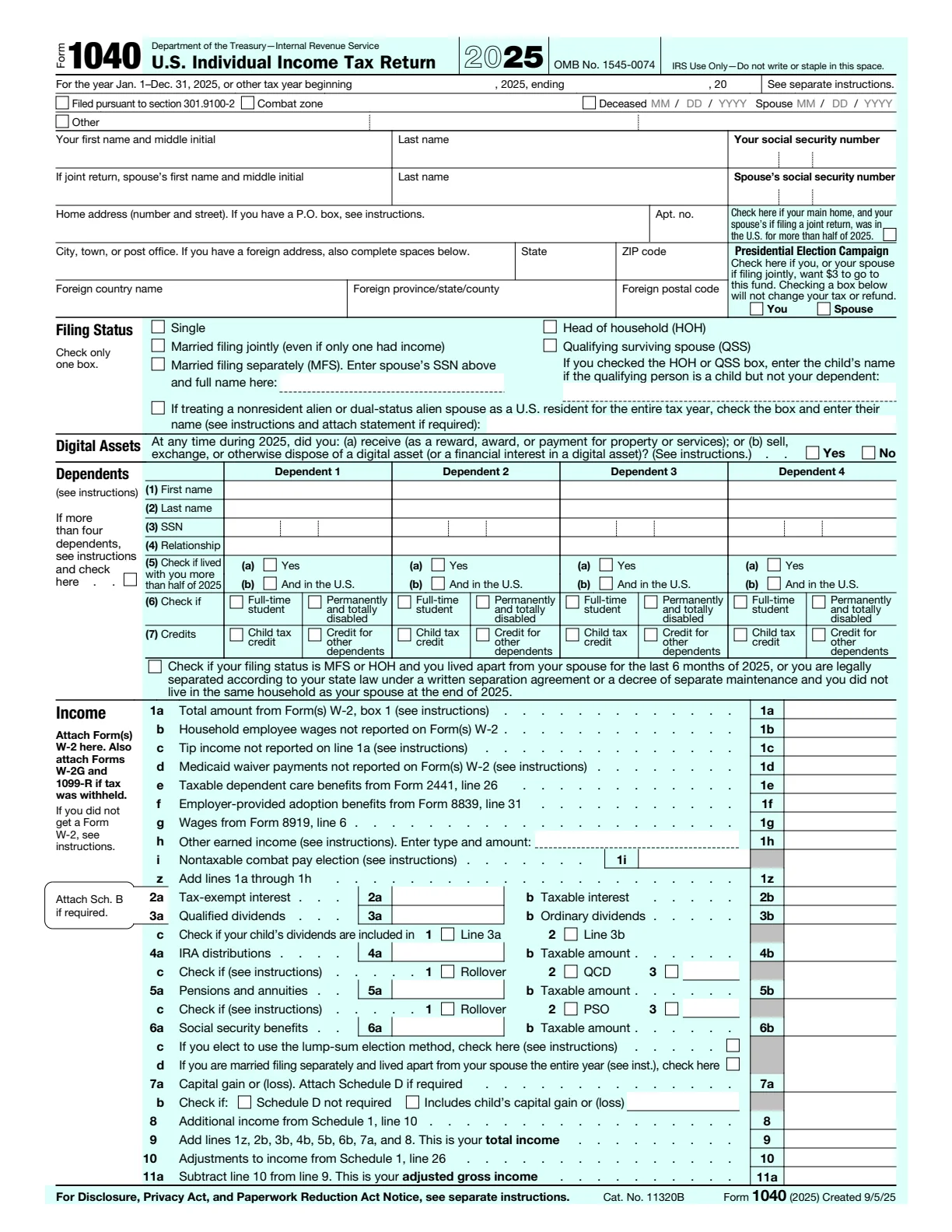
Inspect an actual before-and-after file
ADAComply’s IRS Form 1040 remediation example includes the source PDF, remediated output, and a view of the structural tags. It gives you something concrete to inspect alongside the product description.
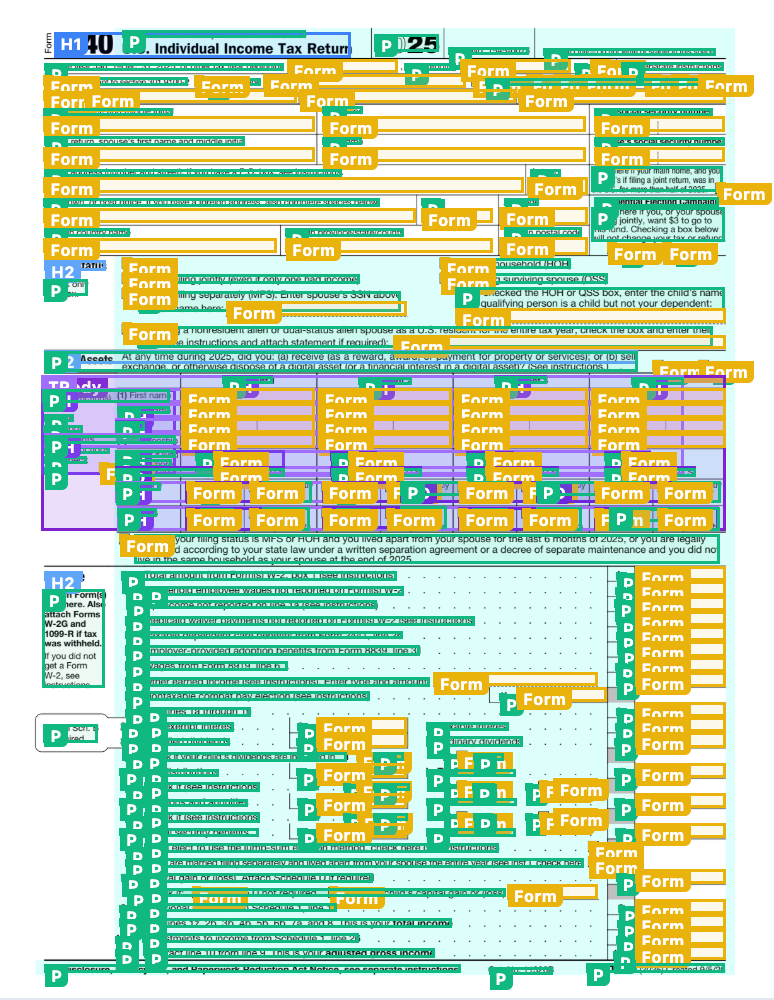
The colored overlay illustrates underlying structure; it is not a redesign of the form. The sample page reports automated check results. Those results should be read alongside human review, rather than treated as proof that every accessibility requirement has been assessed.

Be specific about the standard and output
Ask which WCAG version and level, which PDF/UA version, and which testing method your project requires. A general “compliant” label is not a substitute for those details.
The DOJ’s Title II web accessibility guidance specifies WCAG 2.1 Level AA for state and local government web content and mobile apps, subject to the rule’s provisions. The Revised Section 508 Standards incorporate WCAG 2.0 Level A and AA requirements with defined scope and exceptions. WCAG 2.2 can be a project target, but these requirements should not be described as identical.
If you plan to offer an accessible alternate version while leaving the original inaccessible, review that approach carefully. Under the Title II rule, conforming alternate versions may substitute only where technical or legal limitations prevent direct accessibility. An HTML conversion service should be evaluated against the actual use case, not assumed to resolve every obligation.
Choose software, a service, or a mix
Software is a useful fit when documents arrive regularly and your team can own review and publishing. A remediation service can add specialist capacity for a deadline, a backlog, or complex content. A hybrid workflow lets staff handle familiar documents while specialists tackle work that needs additional expertise.
Free tools can be valuable in any of these arrangements. A free validator can support quality assurance, and a free editor can support detailed manual work. The practical question is whether your team has enough time and skill for the volume involved.
ADAComply is worth considering if you want to organize the work first, keep manual editing available, and purchase automation as needed. Start with a real document and inspect the result before planning a larger rollout.
Start with one PDF
See how automated remediation fits your documents. The current first-PDF offer includes 10 free credits after email verification, once per email address; check the estimate for your file.
Try automated remediation on your first PDF