
Tags and structure
Inspect the document tree and assign meaningful structure to headings, paragraphs, lists, and other content.
Work directly on your PDF’s accessibility structure in the VORA Dashboard. Adjust tags, reading order, image descriptions, and tables, then review the result.
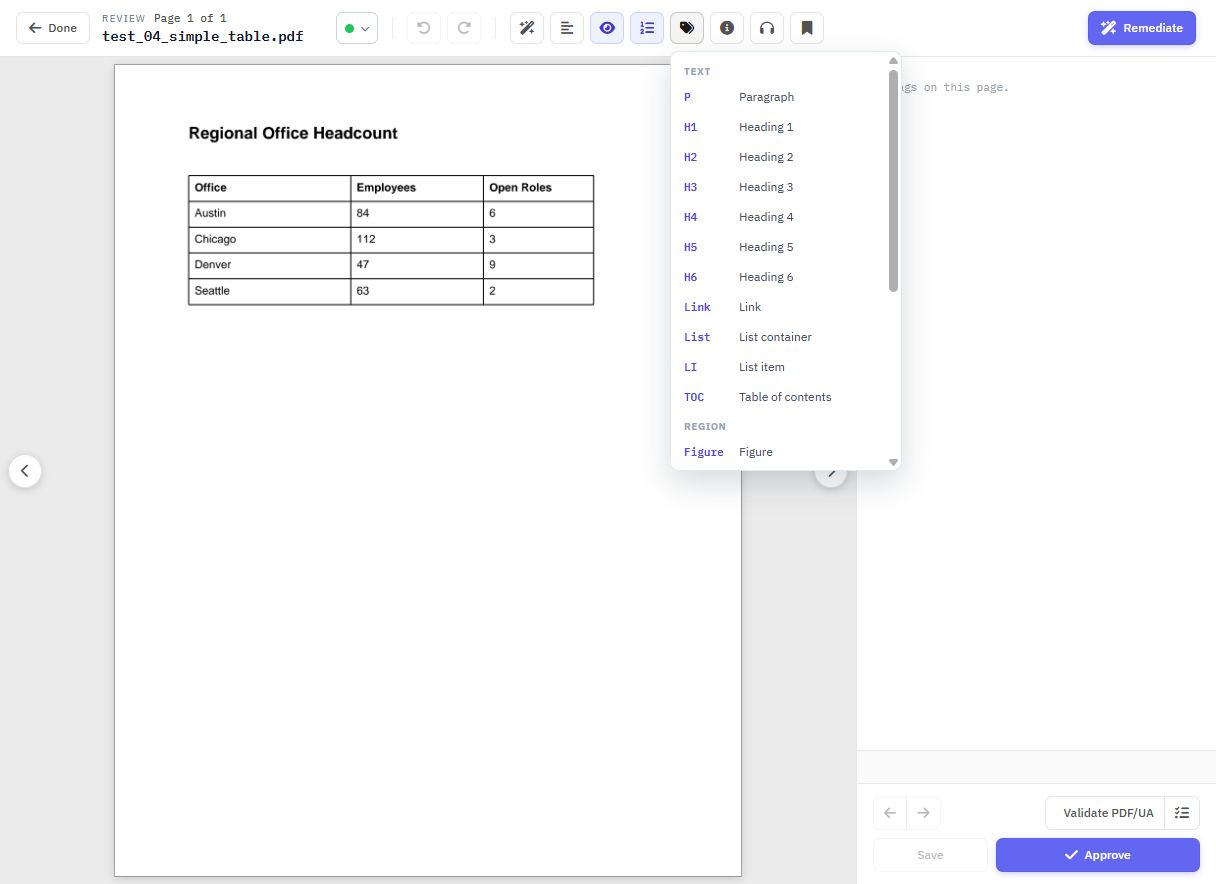
Inspect the document tree and assign meaningful structure to headings, paragraphs, lists, and other content.
Review how content is grouped and sequenced, so a document can be followed with assistive technology.
Review image tags and text alternatives in the context of the document.
Work with table structure, rows, columns, and cells to describe relationships in the content.
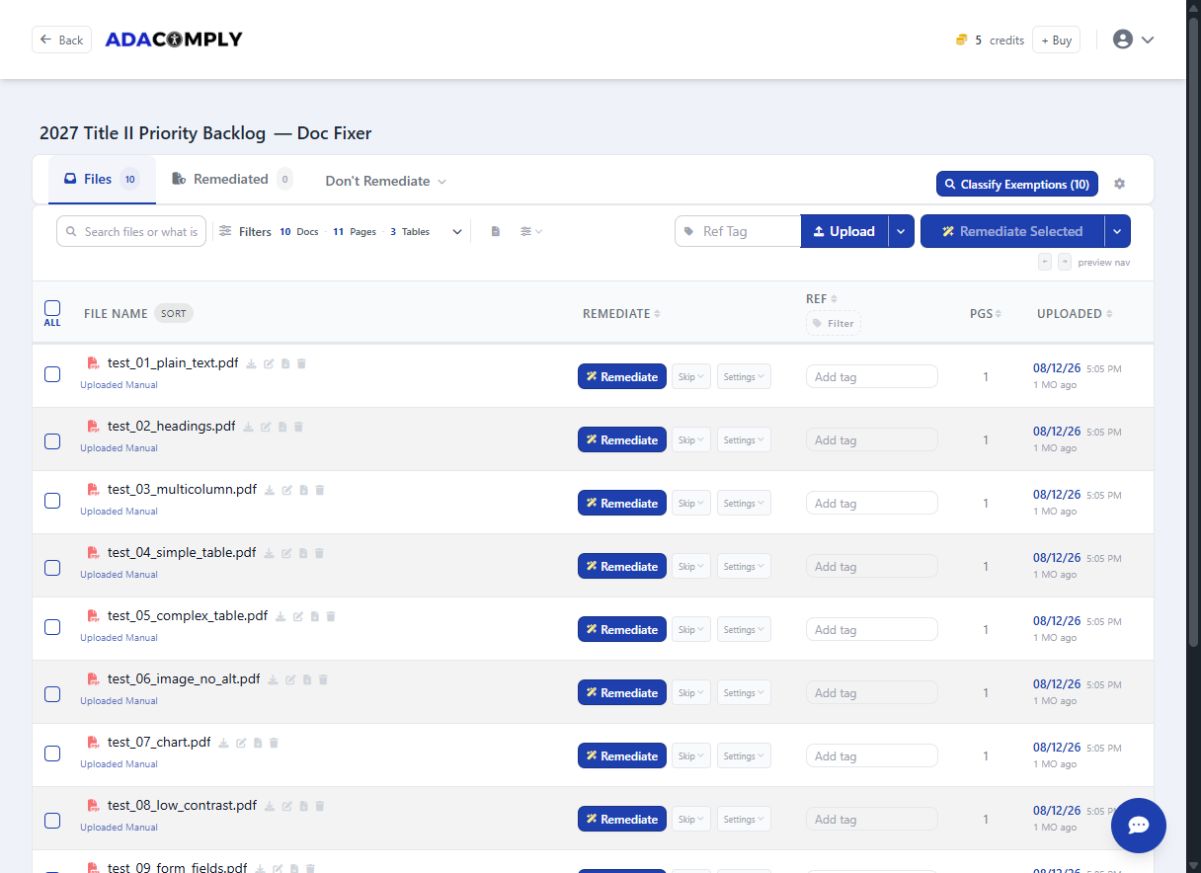
Sign in to the VORA Dashboard, add your PDF, and select the edit icon beside the filename in the Files tab.
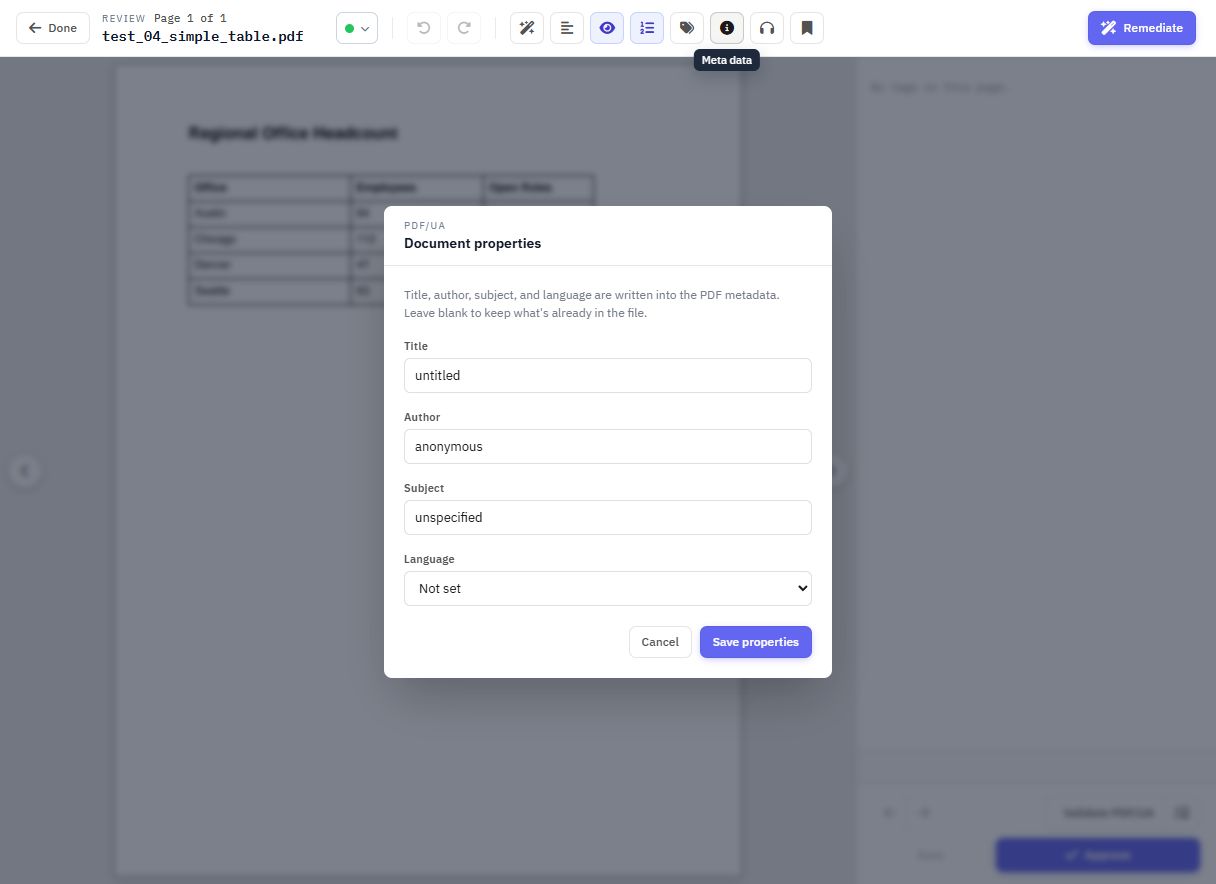
The toolbar also provides OCR, bookmarks, a read-aloud preview, and PDF/UA validation. Use these tools to inspect your changes before saving.
The read-aloud preview helps you inspect the reading experience. It does not replace testing with the assistive technology your audience uses.
Make manual changes when you want direct control, or approve an estimate to run automated remediation. Automation costs $4 per credit: one per page plus one per table. Review the resulting PDF and its accessibility checks before publishing.
See the VORA Dashboard